
Real-Time Inventory Tracking
Monitor quantities, stock locations and part availability across your operation.
ServiceWorks connects inventory, purchase orders, receiving, barcode workflows, cycle counts and job-level parts tracking so your team can manage every part from order to receipt to installation.
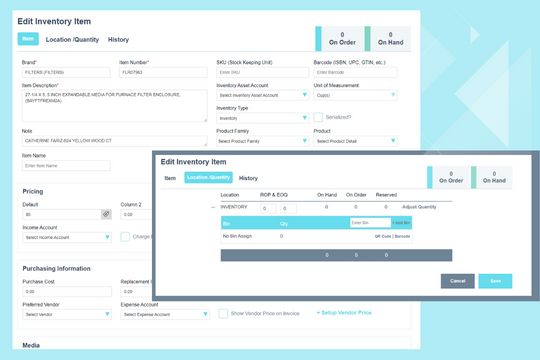
Field service inventory management software
Parts management is one of the hardest operational workflows in field service. Inventory moves between warehouses, technicians, purchase orders, customer jobs and returns. ServiceWorks gives teams a connected system for knowing what is on hand, what is ordered, what has been received and where every part is going.
Inventory capabilities
Monitor quantities, stock locations and part availability across your operation.
Create and manage purchase orders based on the parts your team needs for service work.
Purchase Order ->Receive parts against purchase orders and update inventory as items arrive.
Scan items to identify parts, receive inventory and speed up stock workflows.
Print barcode labels so parts can be identified and handled consistently across receiving and storage.
Count inventory by location or selected items and reconcile stock without shutting down the entire operation.
Assign and follow a tracking identifier for individual parts so your team can trace movement and status more clearly.
Manage stock across warehouses, technician locations and other storage points from one system.
Set reorder thresholds and alert the team when stock needs attention.
Part-level traceability
ServiceWorks can connect the purchasing and inventory lifecycle back to the service ticket so the team has more visibility into where the part came from, where it is now and which job needs it.
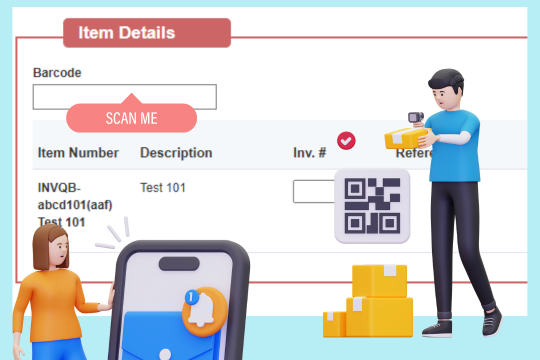
Barcode inventory
Barcode workflows reduce repetitive typing and make receiving, identifying and counting inventory faster. ServiceWorks supports both barcode scanning and label printing so the same identification workflow can follow the part through the operation.
Identify and update inventory quickly.
Create barcode labels for receiving and storage.
Verify selected inventory without a full shutdown.
Reduce manual data entry across inventory workflows.
SWOpsCenter mobile inventory
Your parts workflow should not stop when the technician leaves the office. SWOpsCenter brings parts and inventory actions into the mobile field workflow so technicians and mobile staff can work with parts where the job is happening.
Beyond stock counts
Manage inventory visibility across warehouses and operational locations.
Track return workflows when parts need to go back to the vendor or inventory.
Understand stock levels, movement and inventory performance through reporting.
Keep vendor and purchasing activity connected to the inventory process.
Why parts visibility matters
When inventory, purchasing and job workflows are disconnected, the office spends time chasing updates. ServiceWorks is designed to keep the part lifecycle visible so teams can make faster decisions and reduce manual follow-up.
Know what is ordered, what has arrived and what is allocated to service work.
Use barcode and cycle-count workflows to improve inventory accuracy.
Reduce repetitive entry and move purchasing and receiving closer to the point of work.
Inventory software FAQ
Yes. ServiceWorks supports barcode scanning for inventory workflows and barcode label printing for item identification.
Yes. Cycle counts help teams verify selected inventory and reconcile stock without requiring a full physical inventory shutdown.
ServiceWorks can use tracking identifiers to improve traceability for individual parts across purchasing, receiving and job workflows.
Yes. SWOpsCenter supports mobile parts workflows so users can order needed parts and receive inventory from the field.
Yes. ServiceWorks supports centralized visibility across multiple warehouses and operational inventory locations.
Walk through inventory, purchase orders, receiving, barcode workflows, cycle counts and mobile parts management with a product specialist.
Schedule a Demo