Automatic Invoice on Job Completion
Configure the workflow so a completed job can automatically trigger the invoice process instead of waiting for office re-entry.
ServiceWorks connects job completion, automated invoicing, payment collection and accounts receivable so your team can move from finished work to collected revenue without creating another manual office process.
Field service invoicing software
Billing slows down when technicians finish jobs in the field but the office has to recreate invoices, send payment requests and manually follow up on receivables. ServiceWorks keeps the financial workflow connected to the job so invoices can be sent automatically, payments can be collected from the field, and outstanding balances remain visible.
Invoicing capabilities
Configure the workflow so a completed job can automatically trigger the invoice process instead of waiting for office re-entry.
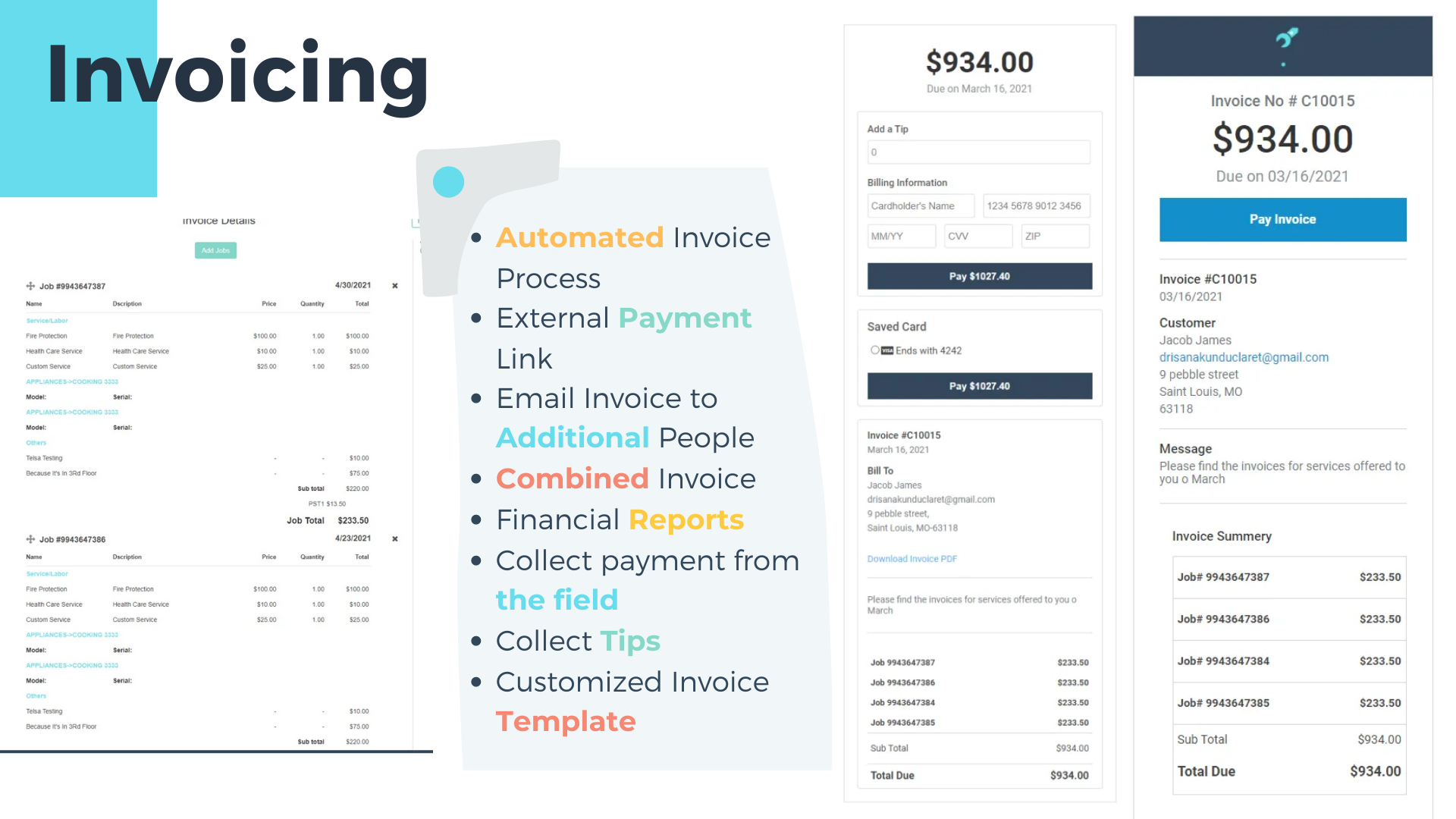
Send professional invoices using your company branding, messaging and reusable invoice templates.
Process multiple invoices together when your billing workflow calls for bulk action.
Send invoices automatically based on job or billing workflow rules instead of relying on manual follow-up.
Collect multiple payments across multi-day jobs, partial completion or installed items.
Send customer receipts and statements while keeping billing activity tied to the account.
From service to payment
Technician completes the service from the field or SWOpsCenter mobile app.
Use automation to send the invoice when the job reaches the appropriate completion stage.
Collect on site or let the customer pay through an external payment link.
Keep unpaid Customer A/R and Warranty A/R visible until collected.
Field service payment processing
ServiceWorks keeps payment collection close to the service workflow so your team can collect before leaving the job, send a secure payment request, or process payments through the gateway that fits your business.
Collect payment while the technician is still with the customer.
Send customers a payment link so they can pay outside the office workflow.
Support card-on-file workflows and automated payment processing where configured.
Send receipts after successful payment and keep the transaction with the customer record.
Payment options
Use ServiceWorks with your Authorize.Net payment setup.
Connect Stripe for integrated card-payment workflows.
Use ServiceWorks' integrated credit-card processing solution for a tighter payment experience.
Learn about SWiP →SWOpsCenter mobile billing
A technician can complete the job from SWOpsCenter, trigger the invoicing workflow and collect payment while still in the field—helping reduce the delay between service completion and cash collection.
Accounts receivable tracking
Not every receivable is the same. ServiceWorks gives teams visibility into unpaid customer invoices while also helping warranty-driven businesses track money that is still owed by warranty providers.
See invoices awaiting payment, past-due balances and the dollar amount outstanding by customer.
Track receivables related to warranty service separately from customer-paid work so warranty balances do not disappear into general A/R.

Billing visibility
Filter invoices by payment state and notification status so the office can quickly understand what has been paid, what is due and where follow-up is still required.
Invoicing & payment FAQ
Yes. ServiceWorks can automate invoice processing based on the job workflow so invoice delivery does not have to wait for a separate office step.
Yes. Technicians can complete billing and payment workflows from the field, including through the SWOpsCenter mobile experience.
Yes. ServiceWorks can send external payment links so customers can pay outside the immediate field interaction.
ServiceWorks supports payment workflows with Authorize.Net and Stripe, and also offers SWiP, its integrated credit-card processing solution.
Yes. ServiceWorks can give teams separate visibility into customer receivables and warranty receivables so each type of unpaid work can be managed appropriately.
See how ServiceWorks connects invoicing, mobile payments, payment links and accounts receivable with your service workflow.
Schedule a Demo